FAQ Item Title
Can I save a quote and order later?
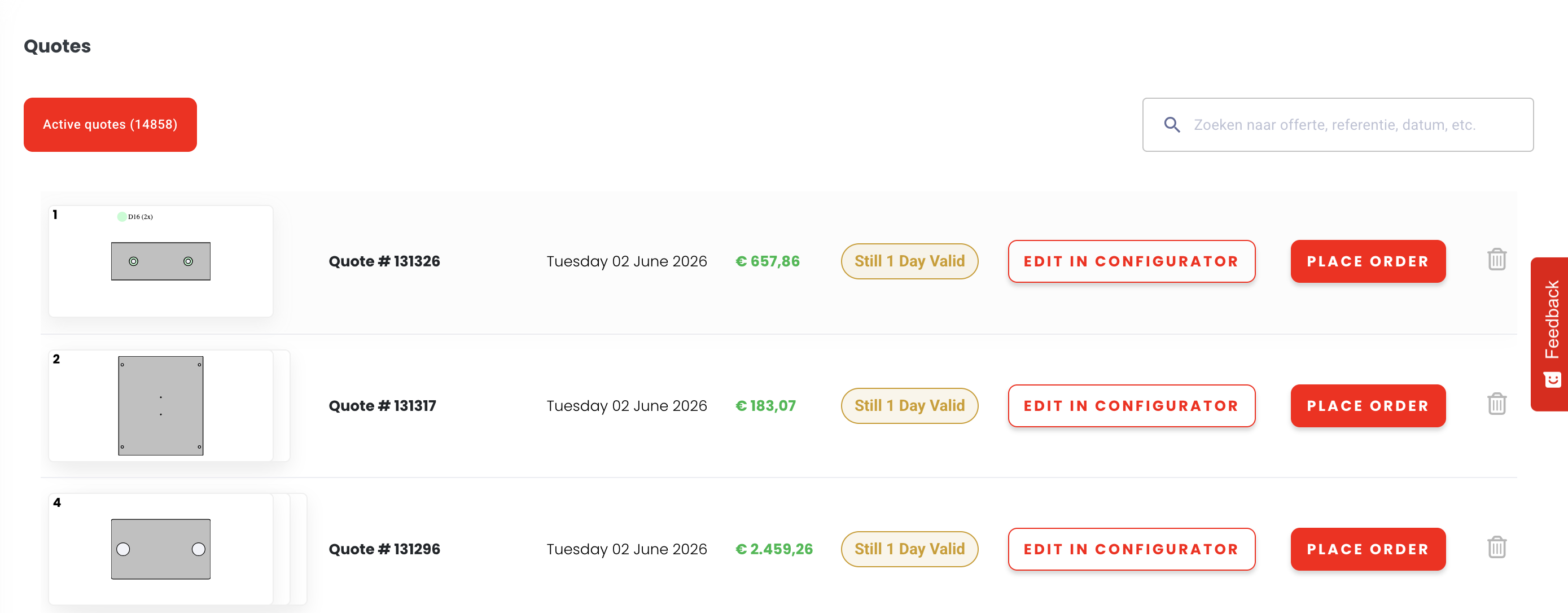
You don't need to place your order immediately. Once a quote is generated, it is stored in your account dashboard. You can revisit it, adjust the quantity, and place the order at any time within the validity period.
Generate your quote
Upload your file and configure your order to receive an instant price.
Quote is auto-saved
It appears immediately in your account dashboard - no extra action needed.
Revisit anytime
Adjust quantities, download the PDF, or place your order when ready.
Quotes are valid for 1 day
Pricing is based on live material stock. After 1 day the quote expires, but you can regenerate it at any time for a fresh price.
Tip: You can also download a PDF version of your quote directly from the dashboard - useful for internal approval processes or sharing with your procurement team.
5 simple steps
From file to quote in under 2 minutes
Create Account
Sign up free in under 60 seconds. No credit card required.
Upload CAD File
Drag & drop your STEP, DXF, DWG or PDF directly.
Choose Material
Pick from 50+ metals & plastics with live pricing.
Configure & Review
Set quantity, finish, tolerances - preview in 3D.
Receive Quote
Instant price. Order with one click, delivered in days.
Step-by-step guide
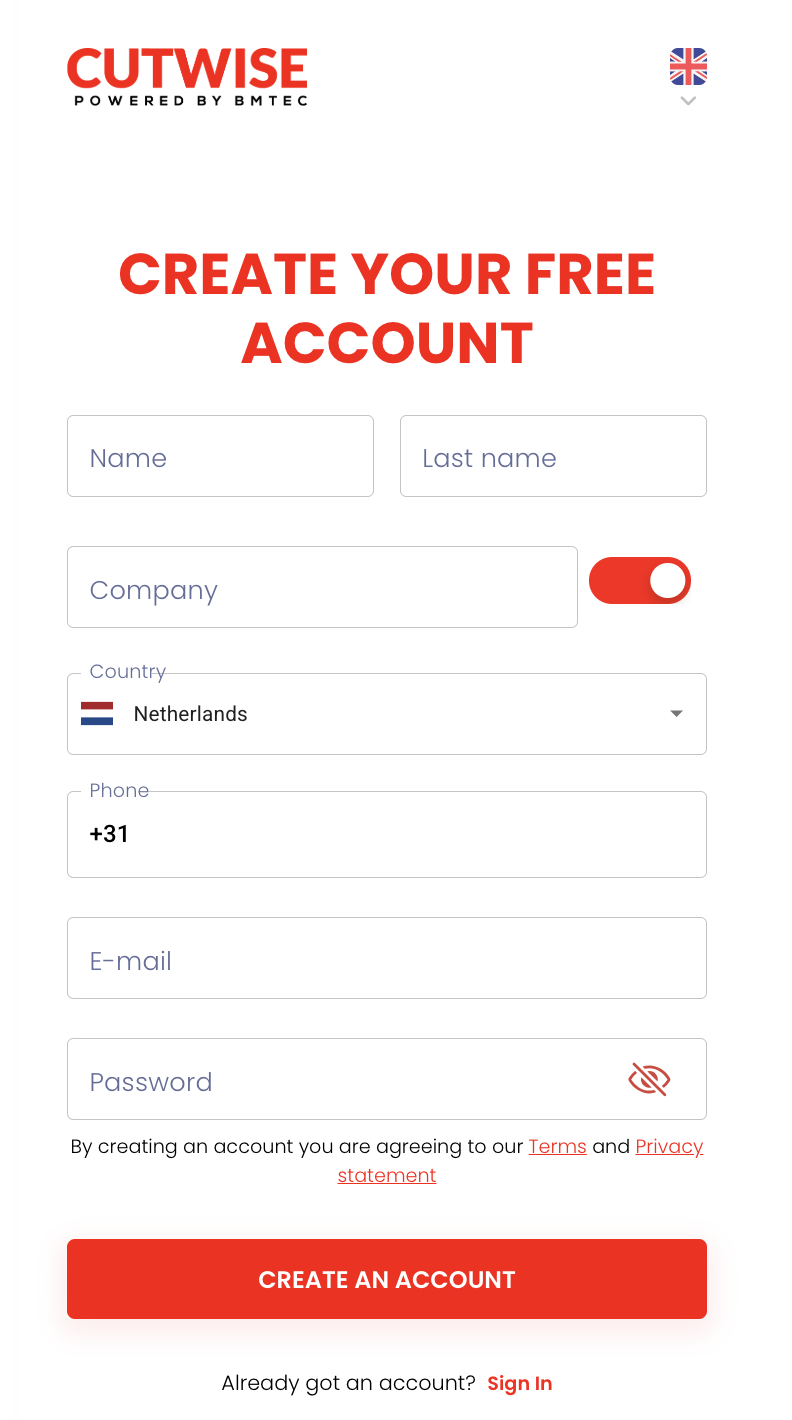
Create Your Account
Getting started with CutWise is completely free. Head to the registration page and fill in your company details.
- Fill in your name and company email
- Verify your email address
- Set your preferred delivery country
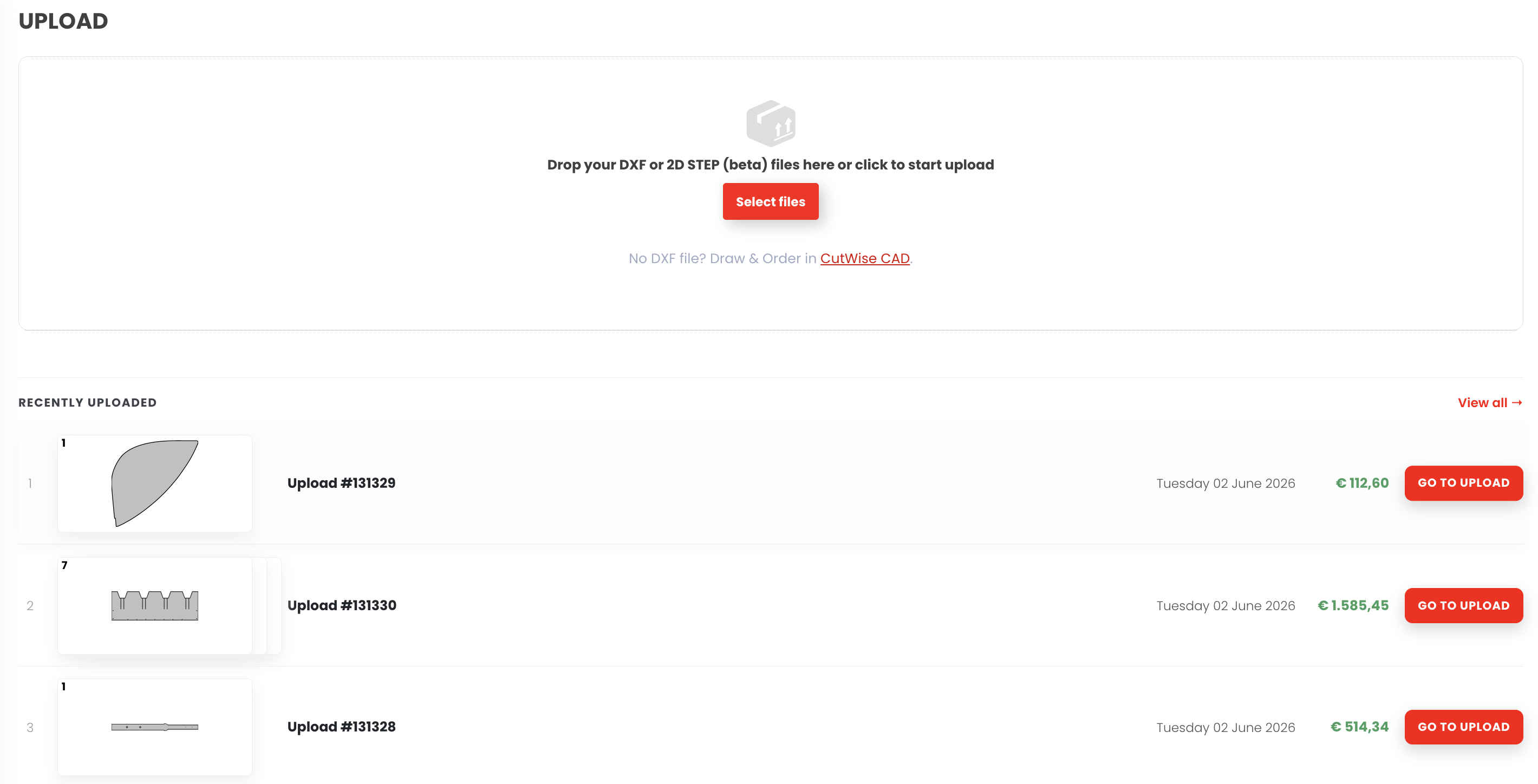
Upload Your File
Drag and drop your 2D or 3D file directly onto the uploader. Supported formats: STEP, DXF, DWG, PDF, IGES.
- Supported: STEP, DXF, DWG, PDF, IGES
- Maximum file size: 100 MB per file
- Multiple files can be uploaded at once
Tip: For the most accurate quote, use a STEP file.
Choose Your Material
Browse our material library of 50+ options with real-time pricing based on current stock.
- Stainless steel, aluminium, carbon steel & more
- Coated, anodised, and raw options available
- Material certificates on request
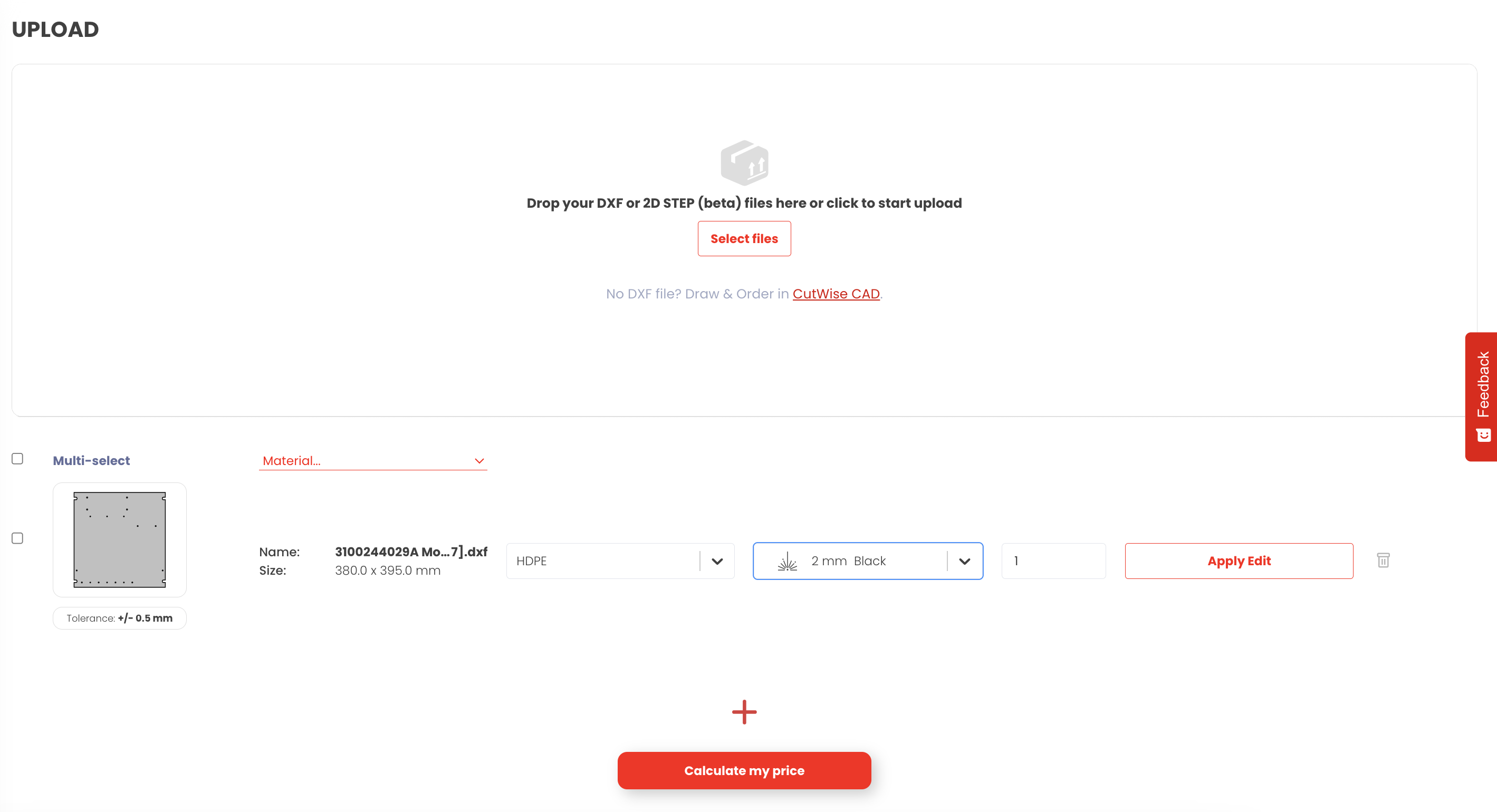
Configure & Review
Set the quantity, surface finish, and any special tolerances. Preview your part in 3D.
- Adjust quantity for volume pricing
- Choose from powder coat, brushed, polished finishes
- Add notes for the production team
Note: Increasing quantity typically lowers the per-unit price.
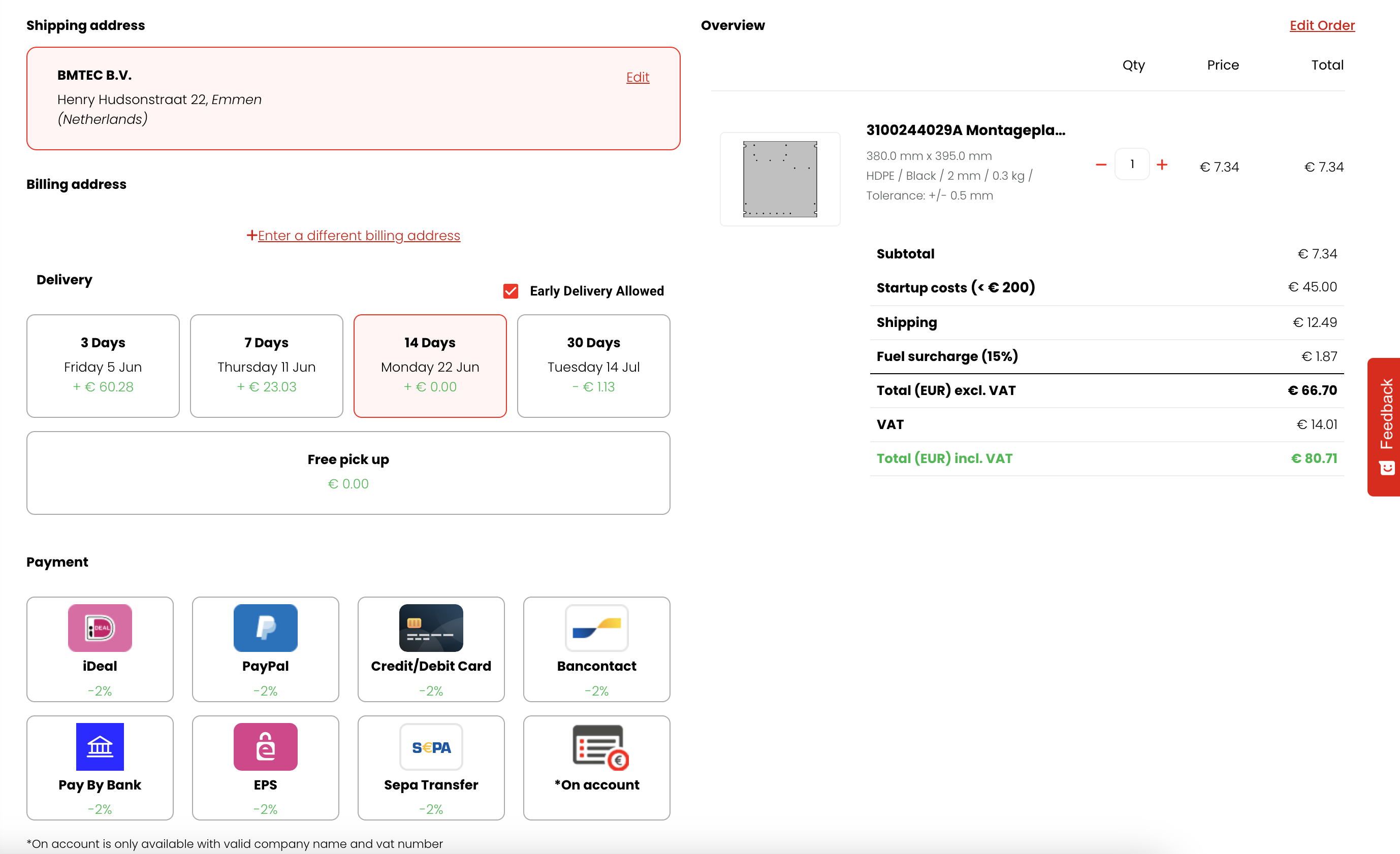
Receive Your Quote
Your instant quote is calculated automatically - including material cost, cutting time, and delivery.
- Full price breakdown included
- Estimated delivery date shown upfront
- Download PDF quote for your records
- Pay securely by credit card or invoice
Still need help?
We’re happy to help you further.
Customer Service (Mon - Fri, 08:00 - 17:00)